Inleiding

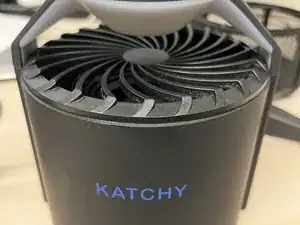
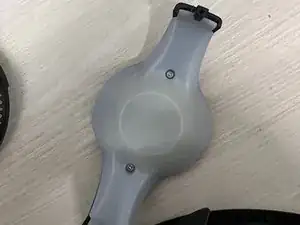
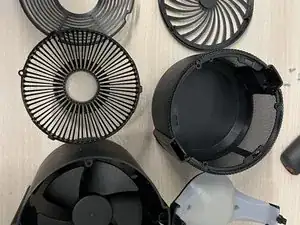
When exposed to excessive dust and lint, the air vent and fan can be clogged by lint build-up. Where they become unusable because the bugs can't pass through the holes and the fan slows down. This guide will show people how to restore their Trap to be fully functional and allow the airflow to be dragged to the sticky trap.

  1. FOymk5ONCOMw15lV
    FOymk5ONCOMw15lV
    6rPnKqtJvqoAdcDU
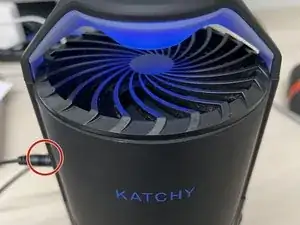
    • Unplug the power plug from the device.

  2. uZUcqBEkRMPUdNlv
    • Open the tray lid to remove the used insect trap.

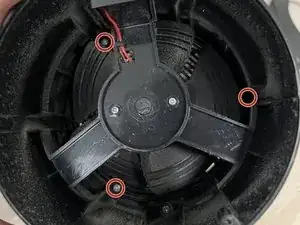
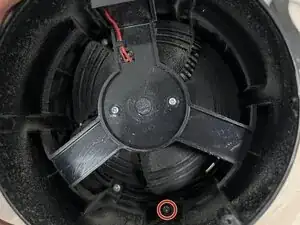
    After removing the screw in Step 3, remove the screen by slowly twisting it counterclockwise.

    Jose Nieves-Cortes -

  3. ZGJfIKi2p1tbxfVa
    ZGJfIKi2p1tbxfVa
    fYZlOdYiD4pxAeem
    • Flip the device upside down while leaving the tray lid open.

  4. a126pWDAoqdAyLJg
    • Remove the mesh from the base.

  5. RvT4VaqgeKBWeOqw
    • Unlock the vent and UV light bar.

  6. MH24gCCWZb6htOsm
    MH24gCCWZb6htOsm
    ArGmqxSa2euOLOyD
    • Optional: Push the circuit cover case away from the clip to unclip and clean.

  7. D2qREqJMP6ACCpoE
    D2qREqJMP6ACCpoE
    TBDmQm3riZg6KFVm
    • Flip the device so that it is no longer upside down.

    • If the top cover is stuck, grab onto the base and push the cover out with your thumb.

  8. CgWEHkBdXNpHfuC6
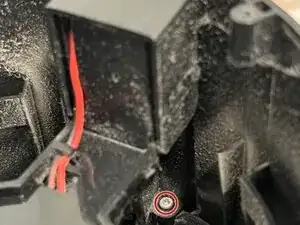
    • Be careful not to damage the wire connecting it to the base. They should be connected still.

  9. iexfko2mWYMhZNLM
    iexfko2mWYMhZNLM
    kdhrYtH3BFvf15dS
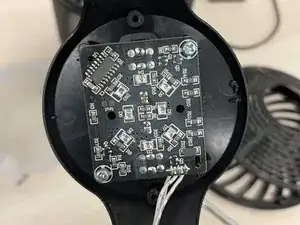
    • (Extra) Two screws are protecting the circuit board if you want to do something with it.

  10. GZmHRM3TWuGTYaaq
    • Double-check that the fan has no dust to ensure the motor will run more efficiently with less dust.

Conclusie

To reassemble your device, follow these instructions in reverse order. Plug the power supply into the device and check if everything works. The UV light should display like normal.

Ryan

Lid sinds: 20/03/24

244 Reputatie

0 commentaren